Simple Church Presentation Software
Web-based worship presentation software for scripture, lyrics, announcements and media. Show verses in multiple languages side by side so everyone can follow along — in any language, including Bibles you add yourself. Ideal for multilingual congregations.
No credit card or signup required
Lower third
Stage
Everything you need for your next service
Show Bible verses, lyrics, announcements, and media across your projector, stage display, and livestream. Switch languages, control your service from your phone, and create your own look with flexible templates.
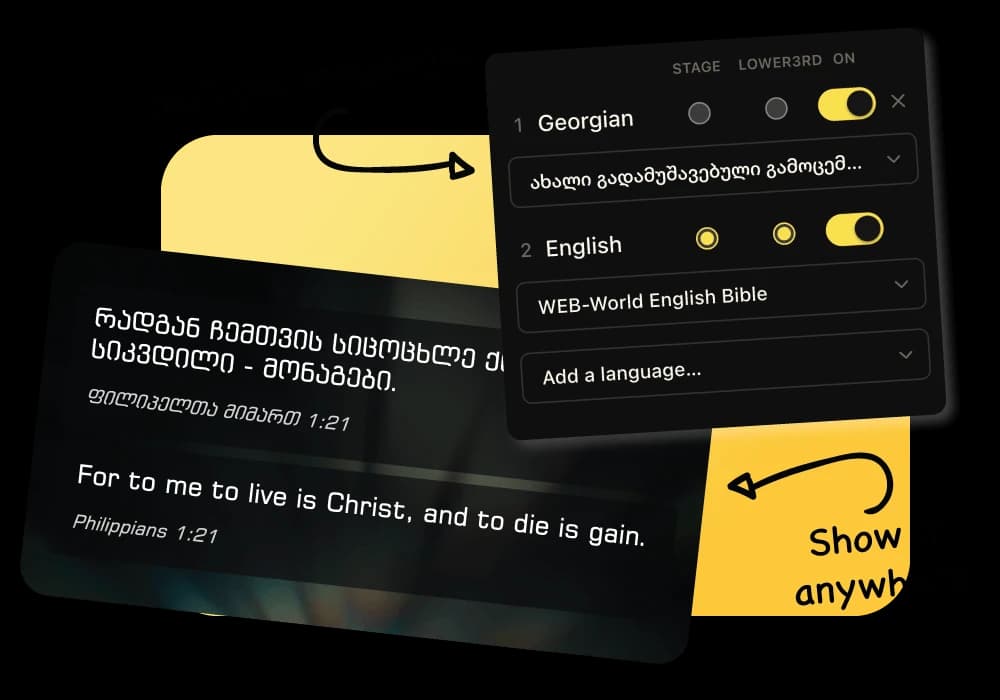
One service. Every language.
Choose which languages appear on the projector, stage display, or livestream and turn them on or off whenever you need.
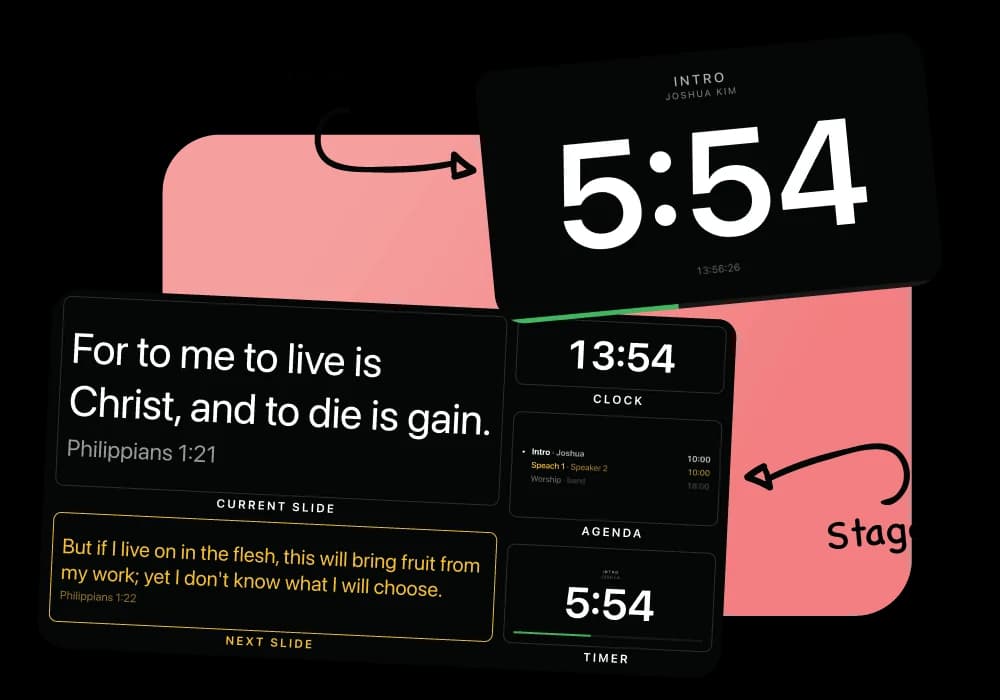
Give your team the view they need
See the current slide, next slide, clock, agenda, and timer in Stage View. Show only the timer on your stage display when you need a clean view.
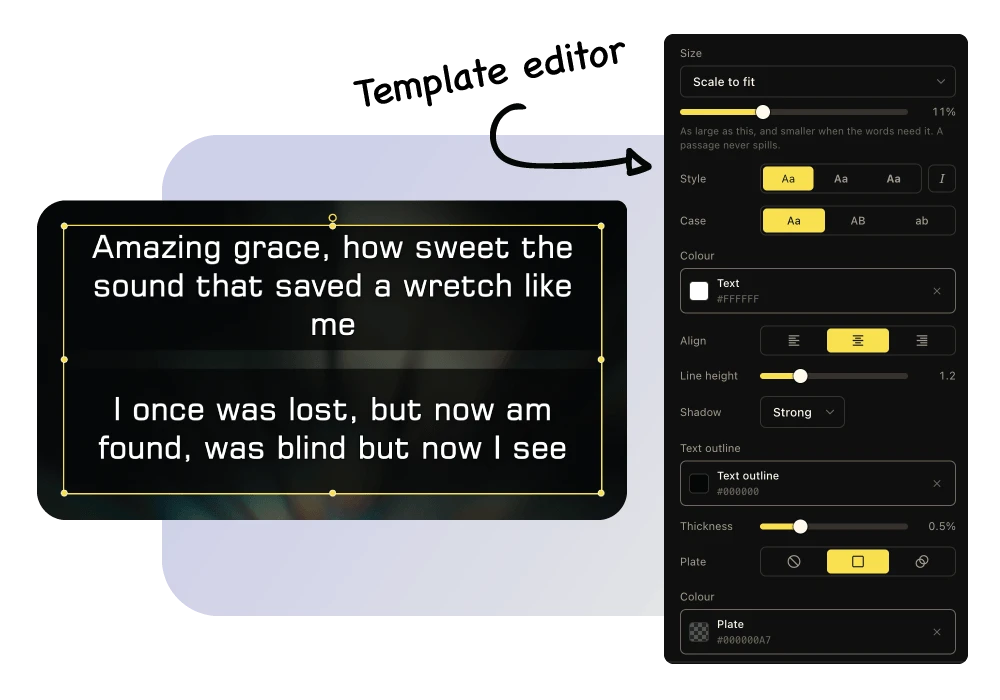
Your content. Your style.
Start with beautiful ready-made templates or create your own. Design custom looks for Bible verses and lyrics on your projector and livestream.
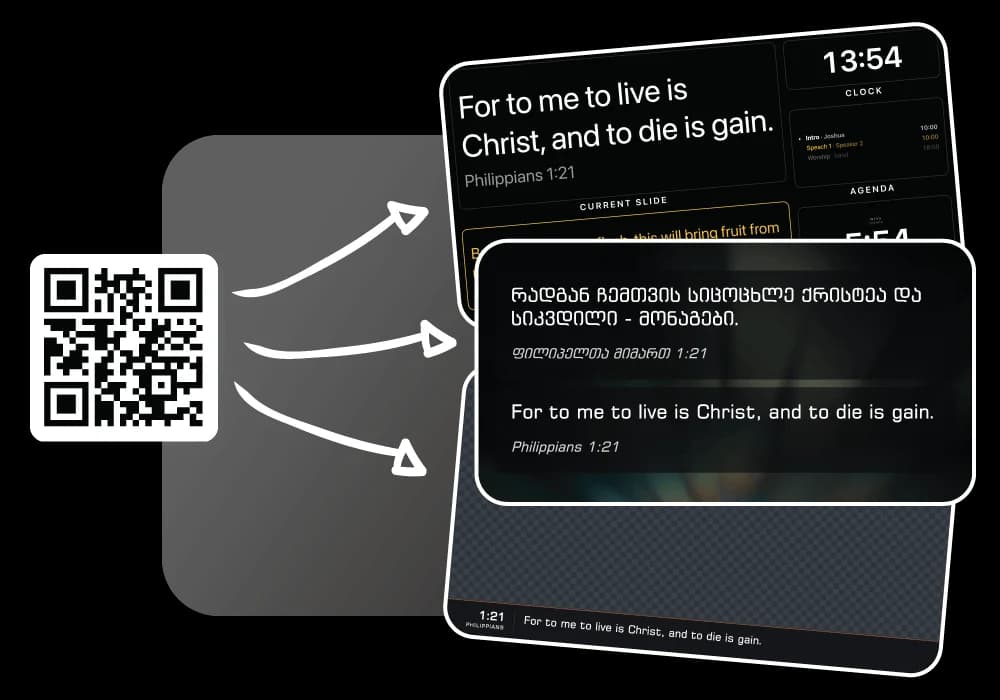
Three screens. One service.
Control your projector, stage display, and livestream from one place. Each screen gets exactly what it needs, while your team stays in sync.
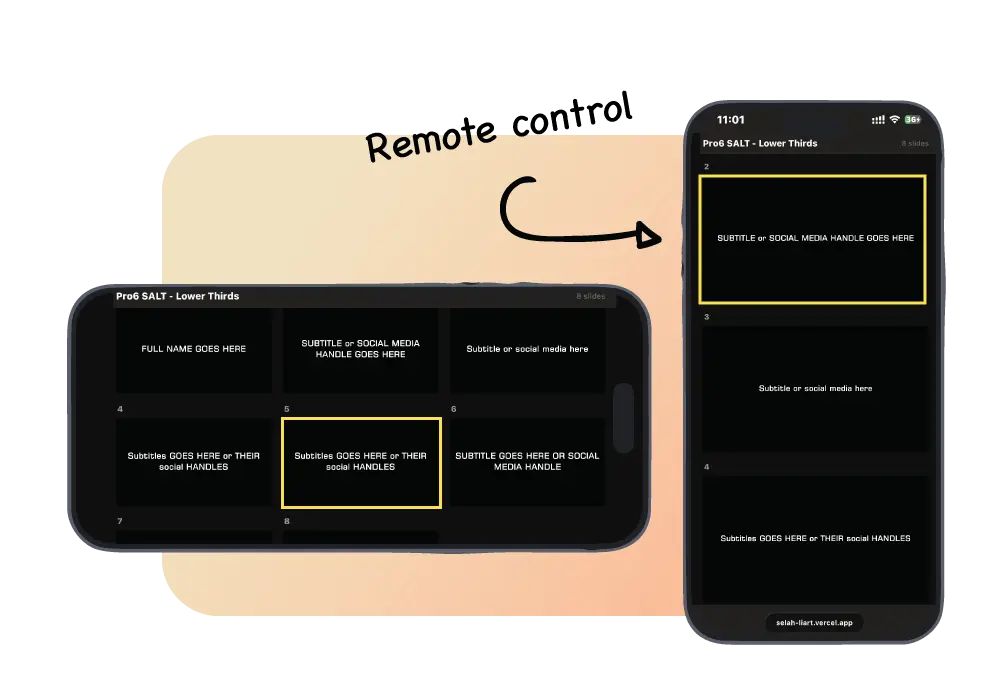
Control your service from your phone
Move through slides and control your presentation right from your phone. Stay close to the service instead of being tied to the computer.
Pay only when you outgrow it.
Putting scripture on the screen costs nothing — the whole Bible, the projector, the stage display and the lower third, with no trial and no time limit. Pro is for teams that also run songs, music and their own templates every week.
$9/month foreverfirst 10 subscribers
$14/month forevernext 5 subscribers
$19/monthafter that
Only 10 subscribers can get Pro for $9/month.
Free
$0forever
- The whole Bible, in every translation we hold
- Any language — add a Bible of your own
- Projector, stage, and lower third for your stream
- 2 languages side by side
- 36 built-in backgrounds
- 15 songs, 3 to a playlist
- 5 tracks and 2 music libraries
Pro
$9per month
- Everything in Free, without the limits
- Unlimited songs, playlists, and music libraries
- 3 languages on a slide
- Use your own music, fonts and Bible translations
- Create your own templates
- Run more than one session
Frequently asked questions
Open the full FAQWhat is LlamaPresenter?
LlamaPresenter is a web-based presentation tool made for churches. Use it to show Bible verses, song lyrics, announcements, and media on your projector, stage display, and livestream.
Do I need to install anything?
No. LlamaPresenter runs in your web browser, so there is nothing to install. Open it on your computer and start presenting.
Can I show Bible verses in multiple languages?
Yes. You can display multiple languages at the same time and choose which languages appear on the screen. Turn languages on or off whenever you need.
My language is not one of the ones you carry. Can I still use it?
Yes. LlamaPresenter carries Georgian, English, Russian, Greek, Arabic and Latin, and you can add a Bible in any other language yourself. Open Translations in the settings, pick your language, and choose a translation from the public archives the console browses for you — over a thousand Bibles in hundreds of languages, fetched with nothing to download and nothing to upload. A Bible you add sits beside ours: put Spanish and English on the same slide, or Korean on the projector and English on the stream.
Can I upload a Bible file of my own?
Yes. If your church was given a file, or you found one the archives do not list, LlamaPresenter reads Zefania XML, OpenSong, USX, OSIS and Beblia files. Free covers one Bible you add yourself and Pro makes it unlimited.
Can I control the projector, stage, and livestream separately?
Yes. LlamaPresenter gives you three views: Projector, Stage, and Lower Third. Each screen can show different content while everything stays connected to the same presentation.
Can I use my phone as a remote?
Yes. You can control your presentation from your phone. Move between slides and change what is being shown without staying next to the main computer.
Can I create my own templates?
Yes. You can start with our built-in templates or create your own. Design custom templates for Bible verses and lyrics on your projector or livestream.
Does it work on Mac and Windows?
Yes. Because LlamaPresenter runs in a web browser, you can use it on both Mac and Windows.
Is LlamaPresenter only for large churches?
No. LlamaPresenter works for churches of any size. Whether you have one screen or a full setup with projector, stage display, and livestream, you can use the features you need.
Can I use LlamaPresenter for livestreams?
Yes. The stream output is an ordinary web page with a transparent background, so it works with OBS, vMix, Wirecast, Streamlabs, Ecamm Live or any other tool that can take a browser source. Add a browser source, paste your LlamaPresenter stream link, and your Bible verses, lyrics and name cards appear over the camera in your livestream.
Can I use it for song lyrics?
Yes. You can add your songs and display lyrics on your projector, stage display, or livestream. You can also import song lyrics from a file exported from ProPresenter, so you do not have to add all your songs again.
How does the projector know which session it belongs to?
Each session has its own unguessable link. Whoever opens it sees that session and nothing else — which is why the projector needs no account and no password. Treat the link the way you would a meeting link.
Can two people run it at once?
Yes. The console is a browser tab, so a second operator can open the same session on their own laptop and both see the same live slide.
Free for every church, forever.
No credit card, no install. Open the console, send the projector its link, and put scripture on the wall in minutes.